 vivibeBeta
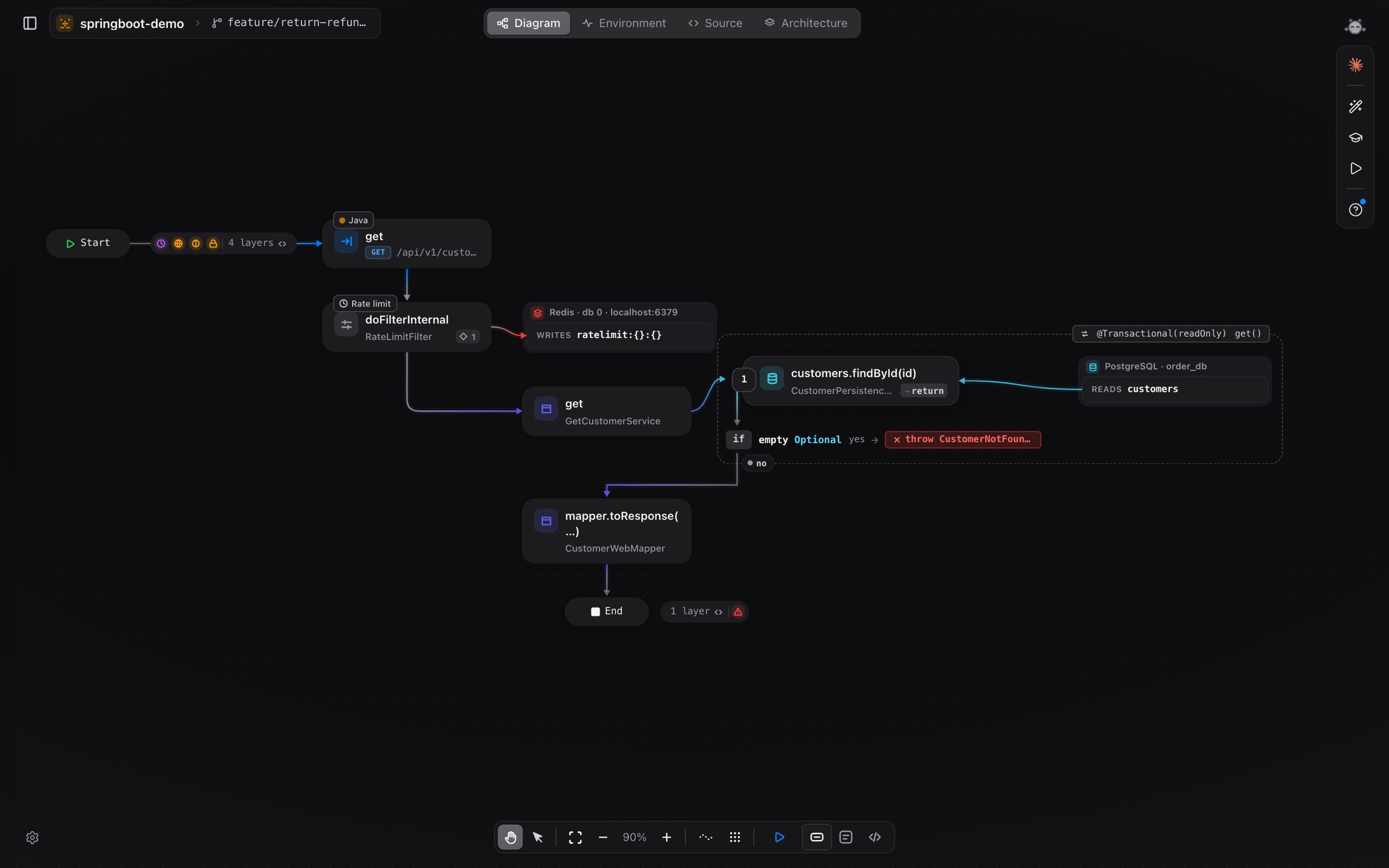
The flow diagram now reads like your code
Each call shows the statement as you wrote it, a new strip shows the framework layers a request passes before your handler, and Flask and Django projects are analyzed.
A flow diagram is easier to trust when you can hold it next to the code and see the same thing. 0.1.28 brings the two closer.
The statement, as written
- Each call card shows the statement as it is in the file, such as
Order.place(orderNumbers.next()), and where its result goes. - Every
ifshows its full condition. - Exits say what is returned or thrown.
Framework layers
Much of what happens to a request is not in your handler. A strip before the handler now shows the layers the request passes, in the order they run: security rules, validation, dependencies, middleware and filters. A strip by End shows which error handler turns this flow’s errors into responses, with the HTTP status.
This works across Java, Kotlin, Python, Go, JavaScript/TypeScript, Rust, C#, PHP and Ruby.
Flask and Django
Python projects on Flask and Django are now analyzed: routes, blueprints, class views, DRF routers, and ORM reads and writes. Results are also better for Ruby (Rails macros, mixins, associations), JavaScript/TypeScript (UI libraries reached through aliases, styled(...)) and Python (protocols and no-op hooks).
Agents draw their plan first
Claude Code, Codex and Gemini in vivibe’s terminal draw their plan on the diagram before they change code. They can run requests they build themselves, suggest entry points the analyzer missed, and mark missing or wrong steps on a flow. You approve each one.
Also in 0.1.28
- The Code screen follows changes on disk at once and opens files faster.
For macOS and Linux. More in Diagram, Languages and Terminal.