 vivibeBeta
A new look, a real code editor, and environments you edit on the canvas
vivibe 0.1.30 to 0.1.32 rebuild the app around native-style windows, put a language server behind the Source editor, let you edit your environment on the canvas, and show each block’s code on the diagram.
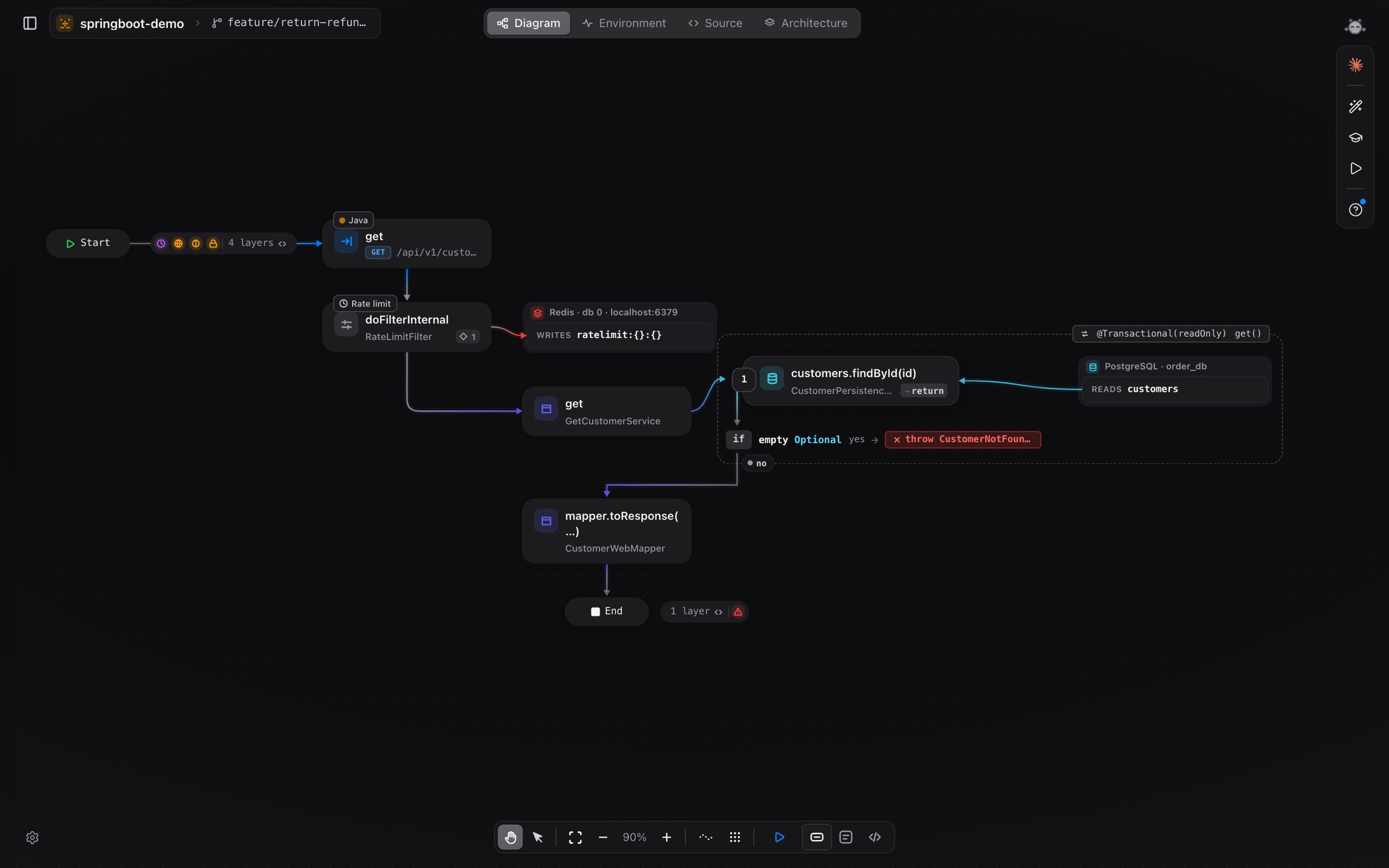
The last three releases are the biggest change to vivibe since the beta opened. The app looks and behaves like a desktop app now, the Source screen is a real editor, and the diagram, the environment and the architecture views all learned new things.
A desktop app, not a web page
vivibe opens in a small welcome window, like Xcode: your repositories on the right, Add repo, Clone from GitHub and Clone from another host on the left. Open one and the window grows into the project.
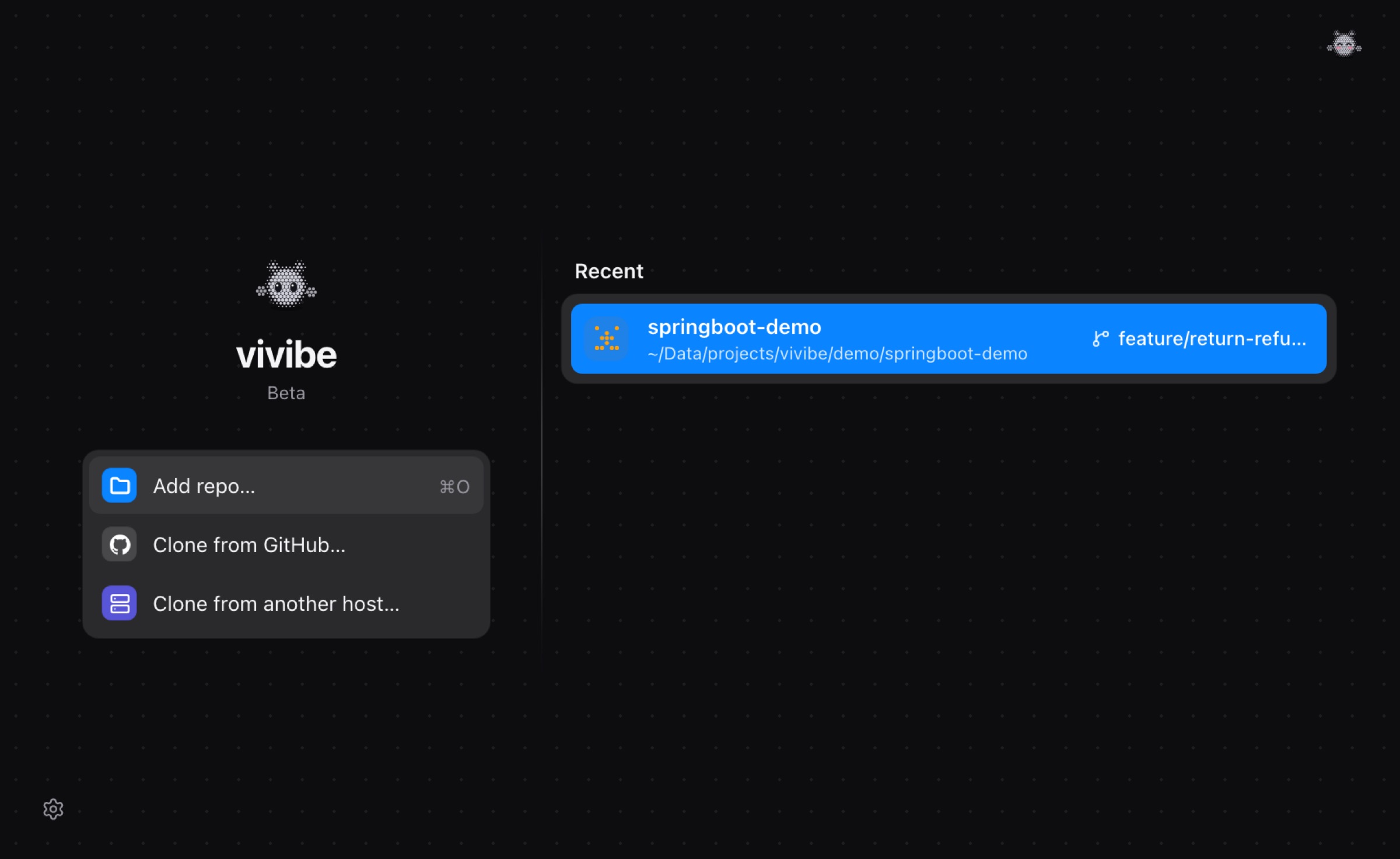
- Every screen shares the same bottom toolbar, in one row, and canvases appear already fitted.
- Side panels open from an arrow on the edge and keep one width on every screen.
- Settings, the sign-in screen and the buttons follow macOS: segmented controls, flat buttons, a thin outline for keyboard focus.
- The terminal is native: Ghostty on macOS, VTE on Linux and the Windows Terminal control on Windows.
The diagram shows the code behind each block
Click a block and a popover shows the lines it stands for, with Quick look, Open in Source, Open sub-diagram and Make entry point beside them. Quiet middleware folds into the strip before the handler, so the flow starts where your code starts.
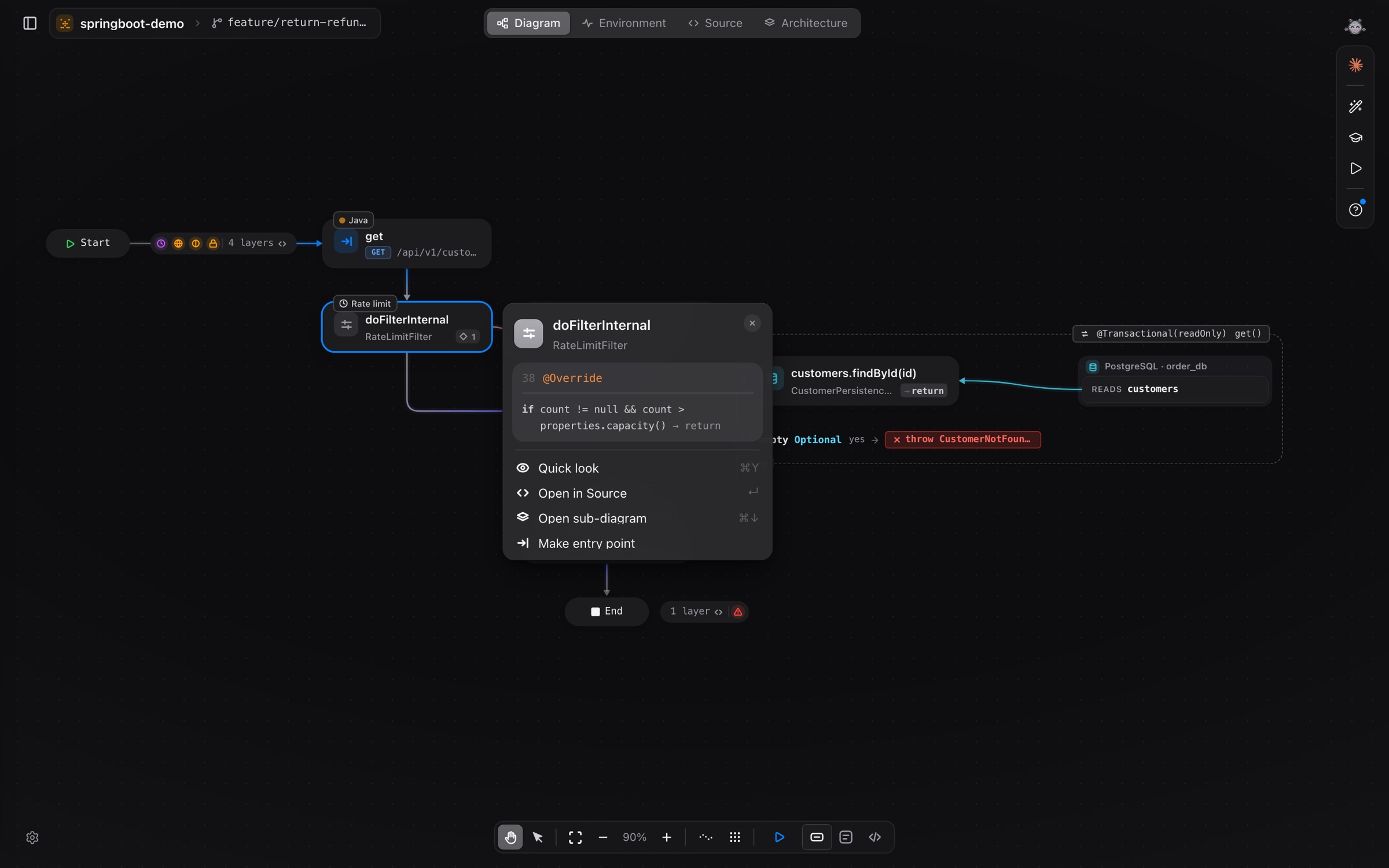
- Edits you have not committed yet show as Modified on the diagram, and the Flows list marks the flows they change.
- The Flows list groups flows by folder and marks the ones with AI names, a gap check or a simulation run.
- AI business titles sit above a block instead of replacing its name, and edges are tinted again.
- Compare shows a first result in seconds and keeps the current branch in step with your uncommitted code.
A real editor in Source
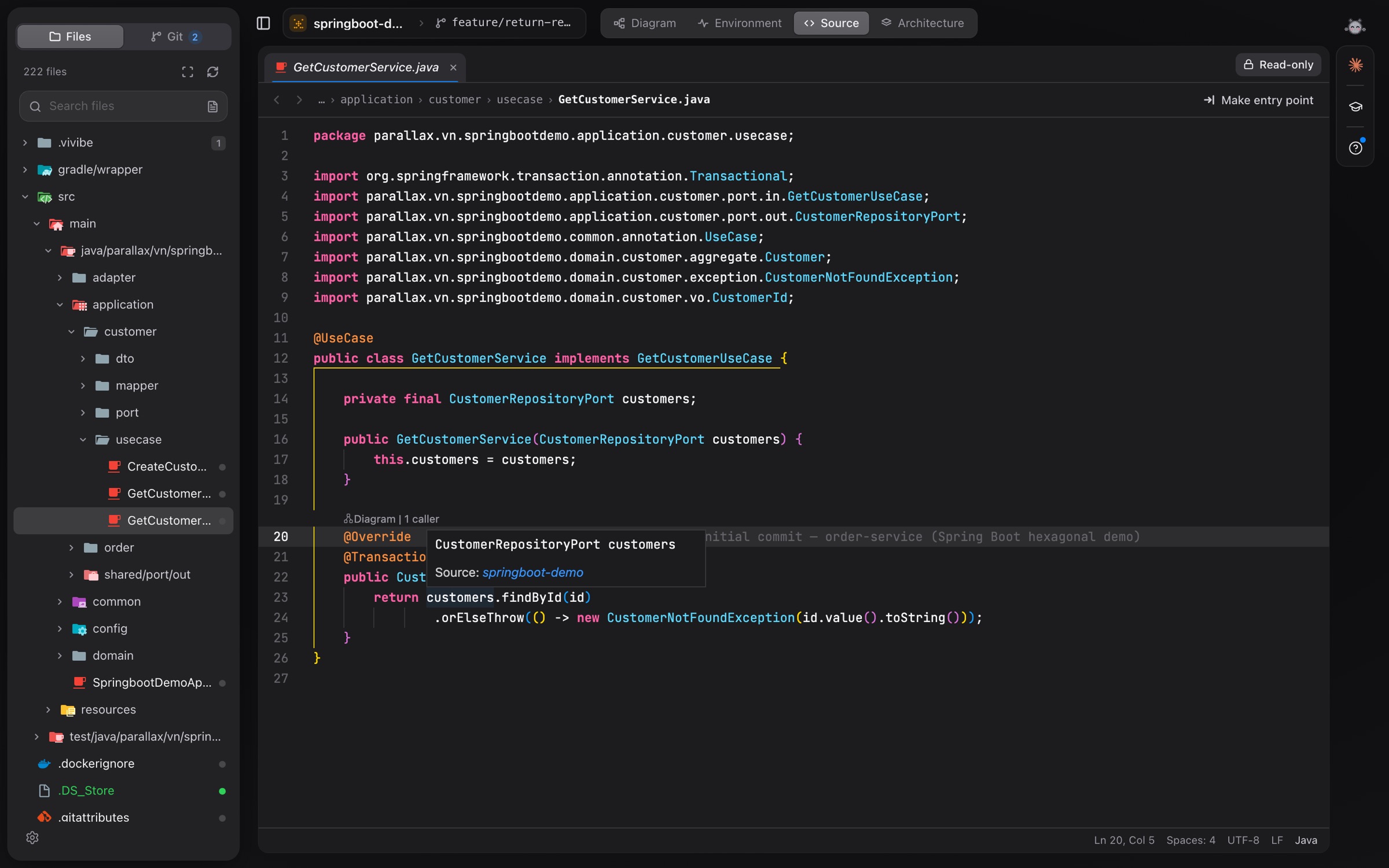
The Source screen now runs a language server for the file you open: hover a name to see what it is and where it comes from. vivibe installs and starts the server itself for Java, Go, Kotlin, C#, PHP and Ruby, and TypeScript works out of the box.
Edit your environment on the canvas
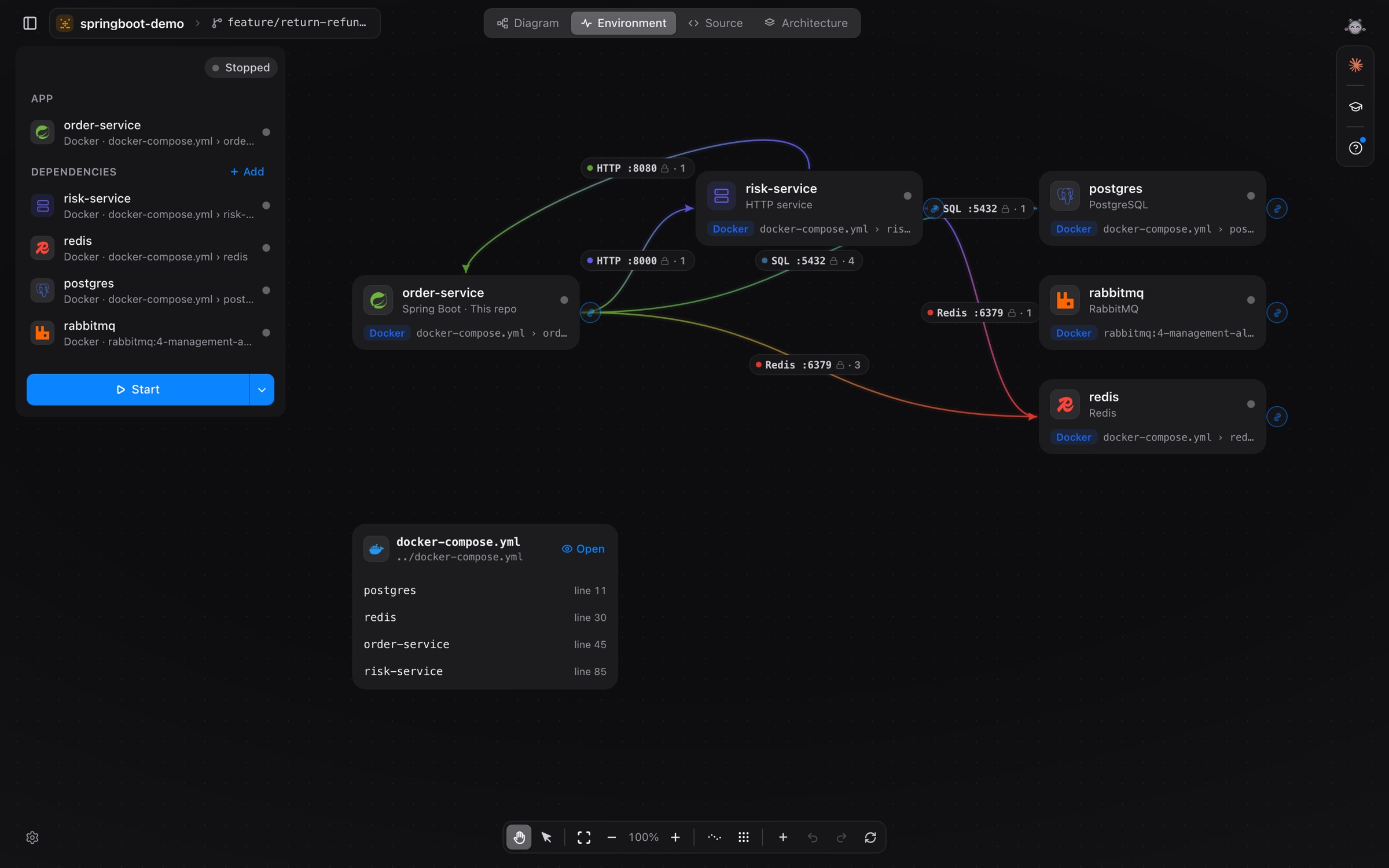
The Environment screen is no longer read-only. Add a component or remove one (with undo) right on the canvas. vivibe saves it in .vivibe/env.yaml in your repository, so your team gets the same environment, and docker-compose files open with colour.
Architecture: packages at a glance
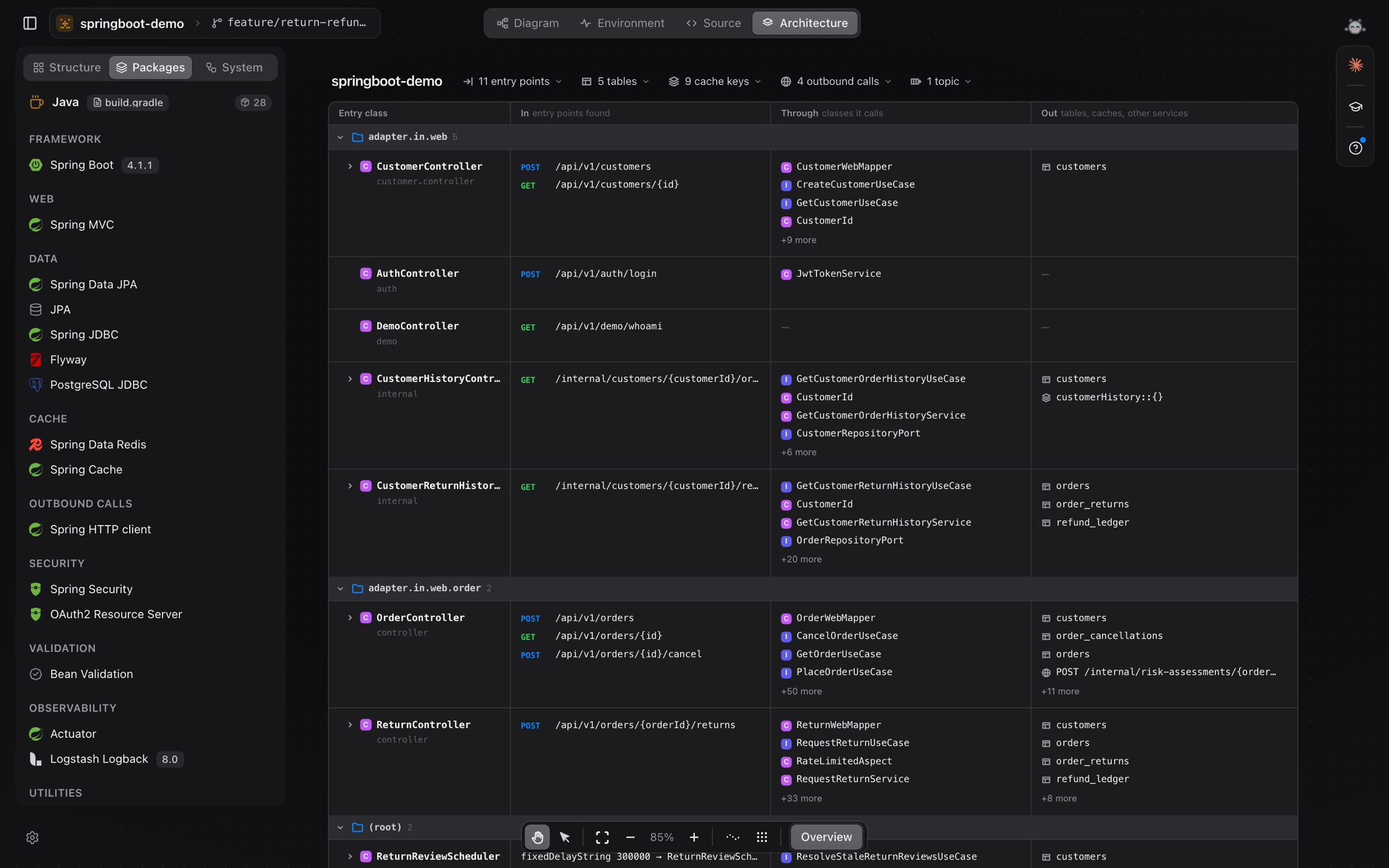
The Packages view is rebuilt as one table: each entry class, the endpoints it serves, the classes it goes through and the tables, caches and services it reaches. Structure clusters classes by how closely they work together, and a sub-module opens right on the block diagram.
Your data, your call
- Export everything vivibe keeps about you to a file, or delete your account, from Settings.
- The privacy notice opens in its own window and asks again when a new version changes it.
Also in 0.1.30 to 0.1.32
- Large repositories: switching flows no longer stalls, and calls are no longer linked to unrelated targets in Python, TypeScript, Rust, PHP, C, C# and Ruby.
- Deeper analysis for Ruby, Python, JavaScript (Svelte 5), PHP (Laravel middleware) and Java (Lombok
val). - A required update only takes over the screen at launch; mid-session it shows the restart button.
- Report a problem attaches a screenshot taken by the system.
0.1.32 is out for macOS; Linux and Windows builds are on the nightly channel. More in Diagram, Code, Environment and Architecture.